Account closures
The queue of members who have asked for their account to be closed, with a 30-day clock on each and a note back to the person when it is closed out.

What it is
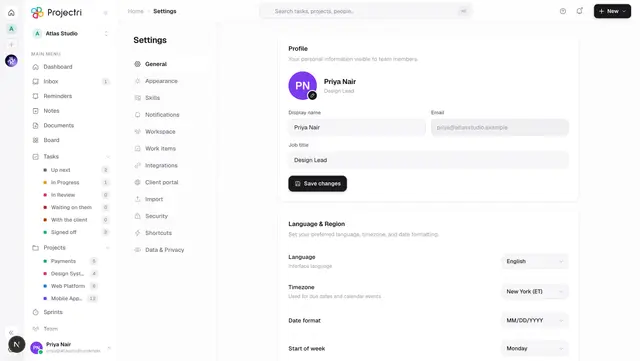
When somebody asks from their own Settings screen for their account to be closed, the admins of their workspace are notified and the request lands here. This is the only screen where that request is visible as a piece of outstanding work with a clock on it.
The clock is 30 days, and it is the Privacy Policy's figure rather than a preference. A request past it is shown as overdue because the promise being broken is one made in writing.
How to get there
Admin → People → Account closures. It needs the ADMIN role — this queue and its route are role-gated.
It sits under People rather than Security because it is a piece of outstanding work about a person, and the action it leads to is on Members two rows up.
How to use it
Work the queue
- The Pending tab is the default and carries the count. All shows closed rows too.
- Each row shows the person, their address, the date they asked, and the deadline — "26 days left", "Due today", or an overdue count in red.
- If they gave a reason when they asked, it is shown under the row.
Close a request out
The order matters, because marking a request completed does not delete anybody:
- Go to Members — the link is in each pending row — and remove them from the workspace.
- Come back and press Mark completed on their row.
- Add a note if you want to. It is carried into the message they receive.
- Confirm.
Decline a request
- Press Decline.
- Write a note. Do write one: a decline leaves the account open, and without a reason there is nothing the person can do about it. The note is included in what they are told.
- Confirm.
What it affects
- The person is told either way. A completed closure tells them their membership has been removed; a decline tells them their account stays open, repeats your note, and gives them a privacy address to write to.
- Two admins can work the same queue. The list updates live, so a row another admin closes out disappears from your screen without a refresh, and a new request appears without one.
- Removal happens on Members, with its own rules. That path ends sessions, drops project memberships, cancels pending invites for the address and pauses any agents the person owned. A second path to it from here that skipped all of that would be a way to lose work by accident.
- The bell and this list agree. The notification that brings you here and the queue it points at are the same data.
On mobile
The Account closures screen in the app's Admin hub is the same queue, and it exists there because the notification that opens it is a push — an admin typically learns about a closure request on their phone. Pending rows link across to Members in the app for the removal step.
Limits and gotchas
- A completed closure usually means the membership has already been removed, and a notification is not delivered to somebody who is no longer an active member. Nothing is lost by that; the notice a removed person cannot read is one they no longer need. If you want them to see it, close the request out before removing them.
- A request can only be closed once. Reopening it is not possible from this screen — the person has to ask again.
- The note is capped at 1,000 characters.
- The list shows the 200 most recent requests.
- A request from somebody who has already been removed shows without a name.
Related
- Members — where the removal actually happens.
- Privacy — data subject requests, exports and erasure.
- Your profile — where a member asks for closure.
- Data and privacy — what is kept, and for how long.