The estimate builder
A spreadsheet-shaped grid for pricing work — sections, lines, resolved or pinned rates, discount, margin, and the buttons that send it, revise it, quote it or turn it into a project.
What it is
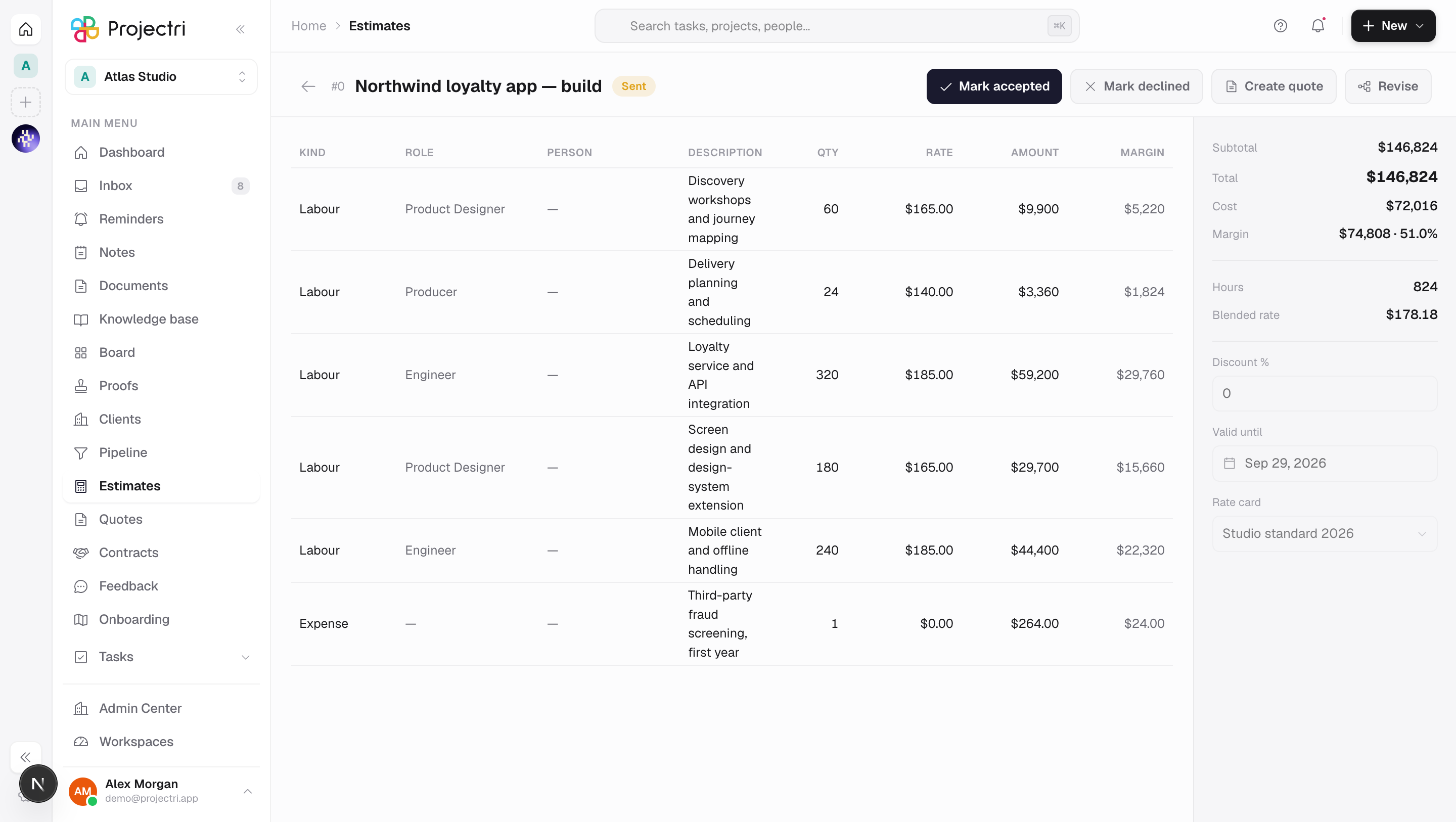
The builder is a grid of lines grouped into sections, with a summary rail down the right-hand side. Each line names a kind, a role, a person, a description, a quantity and a rate, and the amount is what was stored when the estimate was last priced — not a figure recomputed as you look at it.
How to get there
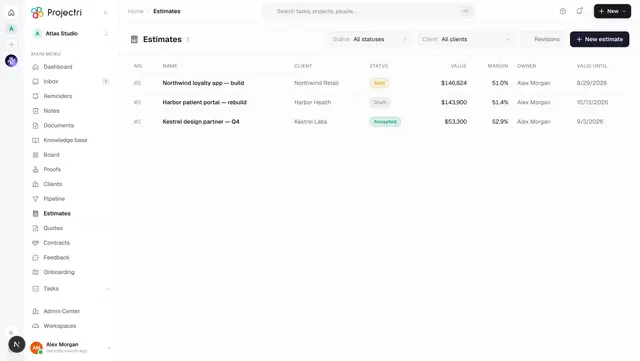
Open a row on Estimates. Reading needs estimate.view; the cost and margin column needs estimate.margin.
The grid is editable only while the estimate is a Draft and only for a reader with estimate.manage. Past that the editing controls are gone rather than present-and-refused, and Revise appears exactly where they were. Sending and marking accepted or declined need estimate.send; converting to a project needs estimate.convert. All writes need the commercial.estimates plan feature.
How to use it
Price a piece of work
- Press Add section for each part of the proposal, and Add line under the section it belongs to.
- Set the line's Kind — Labour, Expense, Fixed, Material or Discount. Role and Person are only offered on a Labour line.
- Type the Qty and, if you want to override the card, the Rate.
- Press Save changes. Nothing is saved until you do: the endpoint takes sections, lines and deletions in one transaction and prices once, so a per-cell autosave would be one transaction and one re-price per keystroke.
Understand where a rate came from
- A line's rate is resolved from a rate card at pricing time and **frozen onto the line**. The grid shows what was stored.
- A line you typed a rate into carries a SET badge — *rate overridden, survives re-pricing*. The arrow beside it puts the line back on the card rate.
- Press Re-price to re-resolve every unpinned line. Changing the rate card in the rail does not move a price on its own; the note under it says so.
Apply a discount
- Type a percentage into Discount % in the summary rail.
- The rail shows the subtotal, the discount as a negative figure and the total. The header stores the discounted total, so the subtotal is recovered from it rather than re-summed from the lines — re-summing would disagree whenever a line is quoted in another currency.
Set the validity date and rate card
- Valid until and Rate card are pickers in the rail, and both commit when you pick.
- The rail also shows total hours and the blended rate, and — when the estimate's currency differs from the workspace's — the total **in base currency**, which is what every report will sum.
Move it through its states
- Send marks the estimate Sent. It needs at least one line.
- From Sent, Mark accepted and Mark declined record the answer, and Re-send puts an expired one back to Sent.
- Revise creates the next version. A sent estimate is never edited back into shape — the supported move is a revision the client can be shown.
- Delete is offered on a draft only.
Turn it into a quote
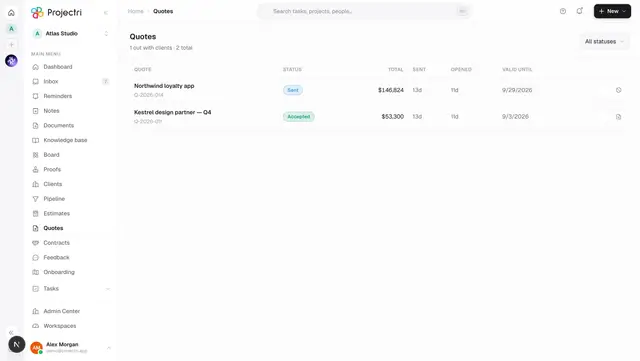
- Press Create quote. It is offered on a Draft or a Sent estimate, because a quote is how an estimate reaches a client — requiring the internal "mark sent" first would mean claiming it was sent before it was.
- Creating one freezes a snapshot of the lines as they stand. Re-pricing afterwards cannot move a number the client is holding.
- You land on Quotes, because the next action — sending it — is there.
Turn an accepted estimate into a project
- On an Accepted estimate, press Convert to project.
- Once converted the same button reads Open project.
What it affects
- Quotes. Every quote is built from an estimate's stored line totals. The snapshot carries the description, quantity, unit price and amount per line and the labour hours in total — and carries no cost and no margin at all, because it is rendered for someone outside the workspace.
- The pipeline. A deal's primary estimate is what capacity forecasting turns into hours by role. A client accepting or declining the quote moves this estimate's status with it.
- Projects. Converting writes a project from the accepted estimate.
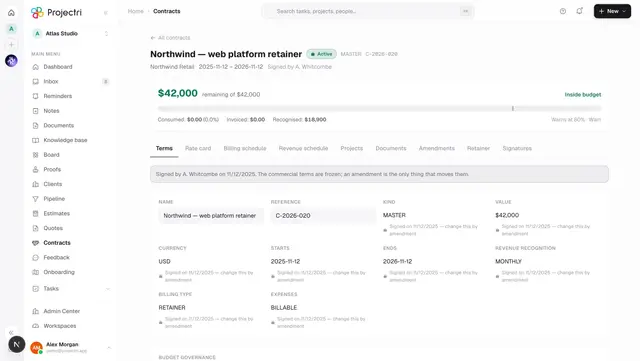
- Contracts. A contract drafted from this estimate's quote inherits the estimate's rate card and its expected start and end dates.
- Reports. The base-currency total is the figure a board pack sums, which is why the rail shows it whenever it differs from the estimate's own currency.
On mobile
The Expo app shows the same estimate read-only: the number, what it is made of grouped by section, and whether the margin is acceptable. The margin block is present or wholly absent, never dashed. Pricing stays on the web.
Limits and gotchas
- Only a Draft is editable. That is deliberate, and the controls disappear rather than refusing you.
- Changing the rate card does not reprice anything. Press Re-price.
- A pinned rate survives re-pricing; a resolved one does not. The SET badge is the only thing on the row that says which of the two it is.
- Deleting a section does not delete the lines under it — they move to Ungrouped. Deleting a heading is a structural edit; the hours underneath it are the work.
- Quantity and rate are typed in whole currency units and stored in minor units. Everything on the wire is minor units.
- A line quoted in a currency of its own is summed into the header in the estimate's currency. Do not re-sum the visible line amounts to check the total — they can be in different currencies.
- Nothing sweeps an estimate to Expired. A Sent estimate past its validity date still reads Sent.
Related
- Estimates — the list this page opens from.
- Quotes — what an estimate becomes for the client.
- One contract — what an accepted quote becomes.
- Admin → Finance — rate cards, exchange rates and the reporting currency.