A status report
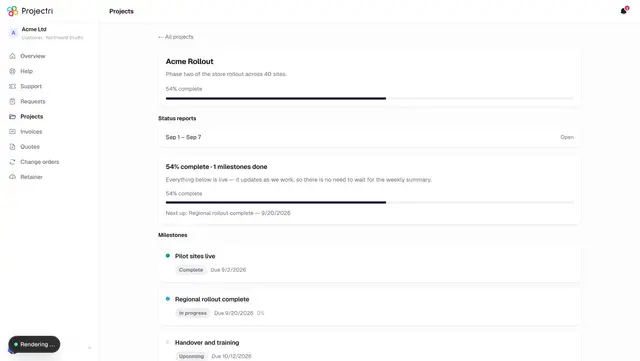
One period's status report as your supplier sent it — what you are asked to do, what happened, what is planned — with a PDF download.
What it is
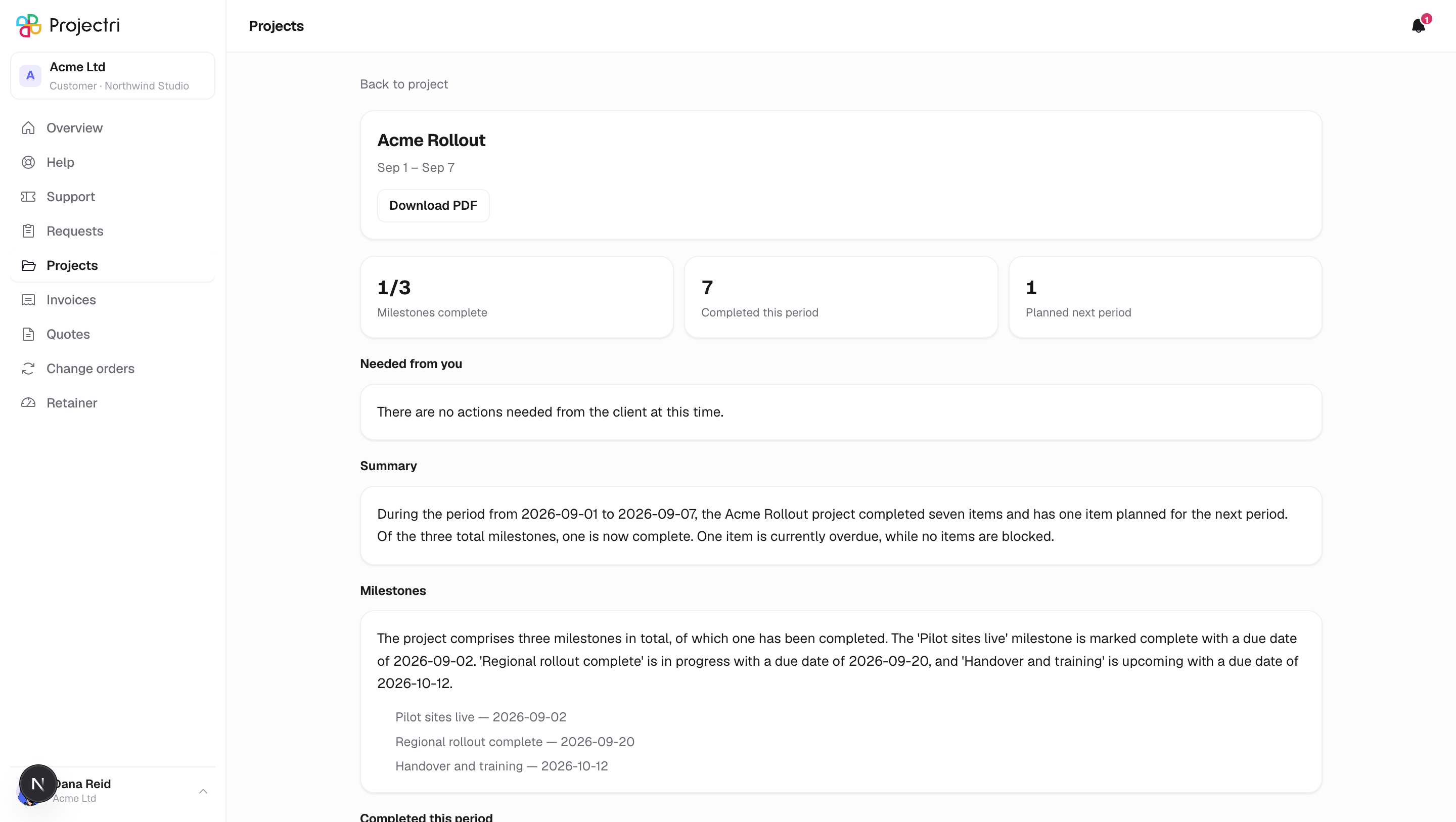
A status report for one period on one project. It opens with the project name and the period, a download button, three headline figures, and then the written sections — anything the report has prose for.
How to get there
Open the project, then a row in its reports list. A notification about a new report links straight here.
Only reports that were actually sent to you are readable. A draft, or a report written for your supplier's own team, cannot be opened from the portal at all — the address returns "This report is not available".
How to use it
Read it
- What we need from you comes first, ahead of everything else. That is deliberate: the section you are asked to act on is not buried under four paragraphs of progress.
- The remaining sections follow in a fixed order — summary, milestones, what was completed, what is planned, risks, budget.
- Sections with nothing written in them are not shown.
- Under each section, where the report has them, are the specific items behind the prose.
Read the figures
- Milestones is complete out of total.
- Completed is how much was finished in this period.
- Planned is how much is lined up for the next one.
Download a copy
- Press Download. You get a PDF of the same report.
- It is the same document, not a summary — the same four figures and the same sections.
Go back
- Back to project returns you to the project the report belongs to.
What it affects
Nothing. This screen is read-only. Reading a report does not acknowledge it, does not close anything, and does not notify anybody.
On mobile
The phone app has the same report screen, reached from the project.
Limits and gotchas
- There is no status, no author, and no revision history on the report you receive. You get the document, not the drafting of it.
- The PDF is generated for you on request rather than being a file your supplier uploaded, so it always matches what is on screen.
- Reports are archived per project. There is no single list of every report across every project.