Direct messages
Private one-to-one and group conversations, always end-to-end encrypted, living inside Discussions rather than on a page of their own.
What it is
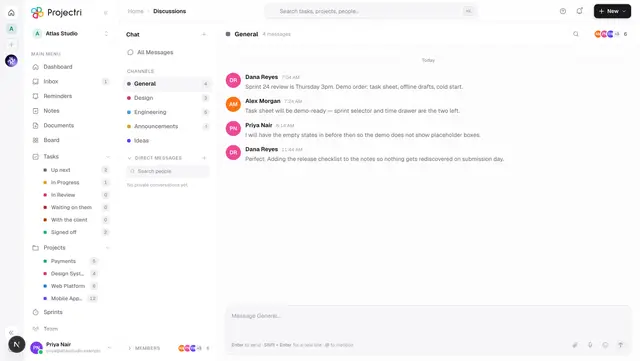
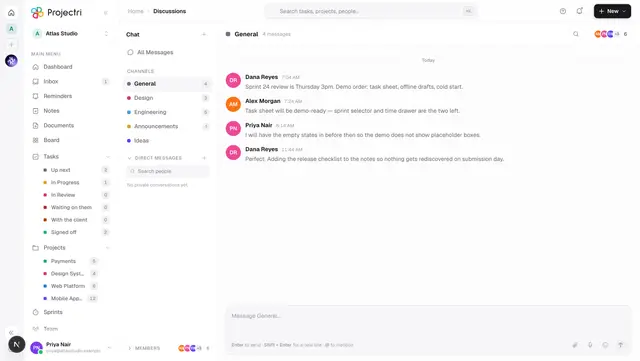
A direct message is a private conversation with one colleague or with a small group. Every message in one is end-to-end encrypted: it is sealed on the sender's device and opened on the recipients' devices, and the server only ever holds ciphertext. Direct messages are not a separate screen — they live in a Direct messages group in the Discussions channel rail, so there is one place to look for anything anyone said to you.
How to get there
Open Discussions from the main navigation and expand Direct messages under the channel list. Reading and sending needs the dm.view permission; attaching files needs dm.attach as well. There is no plan gate.
The /dm address still works and is kept on purpose — an old push notification on a lock screen may name it. It redirects to Discussions, carrying the conversation through as ?dm=<id> when the link had one, and it replaces the history entry so Back does not bounce you through it again.
How to use it
Start a conversation with somebody
- In the channel rail, press + beside Direct messages.
- Pick a person from the list. A 1:1 you already have is reused rather than duplicated.
- Or type a name into the search box above the list. People you have never messaged appear under Start a conversation; people you already have a conversation with appear as the conversation, not as a second row.
A deactivated colleague is listed but greyed out and marked Suspended, and the row cannot be clicked. That is deliberate — a name missing from the list is indistinguishable from a bug, and a message to an account that can never sign in again would sit unread with no explanation.
Send a message
- Type in the composer at the bottom. It is the same composer channels use, so
@mentions, emoji and voice notes all work. - Attach files with the paperclip. Each file is sealed under its own key before it is uploaded, so the stored bytes are unreadable. A message carries at most 10 files, each at most 100 MB.
- The composer is closed while your device is still getting the conversation key, and closed permanently in a 1:1 with a deactivated colleague.
Group conversations
- A group conversation has more than two participants and is titled from the names of the people in it.
- People can be added to a group; anyone in it can leave.
- Removing somebody or leaving advances the conversation's epoch. The next message sent creates a new key for the new epoch, so nothing written after somebody leaves can be read by them. Until somebody sends, the conversation has no current key, which is the correct state rather than a fault.
Search
The search box above the conversation list covers people's names and conversation titles — never message text. The bodies are ciphertext in the browser except for the thread you have open, so a text search would quietly cover one conversation and miss every other.
What it affects
- The Discussions unread badge. Private conversations and channels are counted together into one badge on the navigation, which is the whole reason they share a screen.
- Notifications and push. A direct message rings the recipient and reaches the phone. Because the server cannot read the body, a push notification about a private conversation says only that there is one.
- Nia, search, exports and admins see nothing. The header badge says so: *"End-to-end encrypted. Messages are decrypted on the devices of the people in this conversation — Nia, search, exports and workspace admins cannot read them."* There is no admin recovery, and none is possible.
- Attachments count against storage. Sealed files still occupy the workspace's storage meter, the same one billing reports.
- Presence. The row and the thread header show whether the person is around, from the same presence derivation the rest of the app uses.
On mobile
The Chat tab lists private conversations alongside channels. Opening one decrypts on the device: what arrives from the network is base64 and a nonce, and what goes back is the same. Photos, documents and voice notes all work, each sealed under its own one-time key before upload.
Two things the phone deliberately does not offer in a private conversation: reactions and threads. Both are stored per message id in the clear. In a channel that is metadata; here it would be a running commentary on a conversation the server is meant to be blind to.
The phone's /dm route is also a redirect, for the same reason the web one is.
Limits and gotchas
- A message you cannot open reads as *"Encrypted — this device does not have the key for this message."* That is ordinary for a device that joined late or a machine you have just signed in on, not a fault.
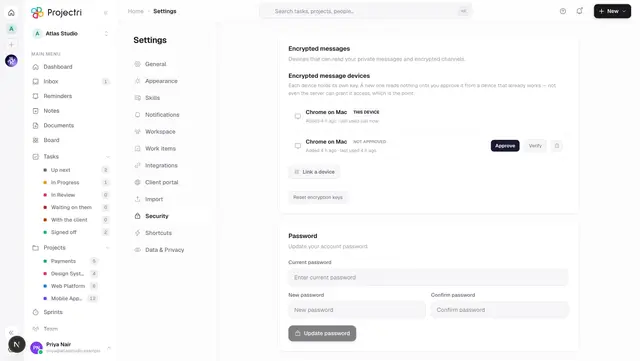
- A strip above the composer explains the two states that block sending. Waiting for a key resolves once somebody else in the conversation opens Projectri — the server holds no keys and cannot hand one over. *This device is not approved* never resolves on its own; approve the device from one you are already signed in on.
- Message text is never searchable, anywhere in the product.
- Sending can fail with a stale epoch if somebody left the group while your tab was open. The conversation reloads and acquires the new key; send again.
- A conversation title is derived from who is in it rather than stored in readable form, so it changes when the roster does.
Related
- Discussions — the screen these live inside.
- A single channel — the
?dm=half of the same address. - Messaging and encryption — how keys, epochs and device approval work.
- Linked devices — approving a new machine so it can read.