Purchasing
The buy side — vendors and subcontractors, purchase orders and what they commit, supplier bills, and the switch that decides whether any of it reaches project margin.

What it is
Purchasing is what you have committed to suppliers and what they have billed you. Three lists on one page — Orders, Bills and Vendors — because they are one workflow: you raise a purchase order against a vendor, and a bill arrives against the order.
The headline is Committed: money promised and not yet billed. That figure exists nowhere else in the product, and it is the one that makes a margin forecast honest.
How to get there
Money → Purchasing, under Receivables. The ADMIN role is needed to open the console.
Each list is behind its own key, and the buttons appear only when you hold them:
po.view/po.manage/po.approve— see orders, raise and edit them, approve one and commit the money.vendor.view/vendor.manage— see vendors, create and edit them.bill.view/bill.manage/bill.approve— see bills, record and code them, approve one into project cost.finance.rates.manage— set the date from which vendor cost counts towards margin. Deliberately the rate-card key, notpo.manage: raising an order and redefining what margin means are different acts.
No plan gate.
How to use it
Read the three totals
- Committed — approved order totals less what has been billed against them.
- Accrued — received, not yet billed.
- Actual cost — approved bills, which is real cost.
All three are stated in your reporting currency, using the rate each document froze rather than a live one.
Turn vendor cost on in margin
- Read the banner under the totals. Until a date is set it is amber and says that every figure on the page is real and none of it reaches a margin number.
- Press Choose a date (or Change date).
- Pick the day from which approved bills should be counted. It is a **date, not a switch**, on purpose: flipping a boolean after backfilling a year of bills would rewrite margins you have already reported.
- The dialog previews what the date would do — how much cost it pulls in, across how many projects, from how many approved bills — before you commit, and names separately any bills that arrived with no exchange rate and therefore add nothing.
Add a vendor
- Open the Vendors tab and press New vendor.
- Give a name, kind (supplier, subcontractor, freelancer), currency, payment terms in days, tax number and contact email.
- Currency is fixed once orders or bills exist against the vendor, because every order and bill freezes its own.
- A vendor who is also one of your clients says so on their screen.
- Archive hides a vendor from the pickers; Restore brings them back.
Both a purchase order and a bill are raised against a vendor, so on a fresh workspace the primary buttons on the other two tabs are disabled and say so.
Raise and approve a purchase order
- On the Orders tab press New order.
- Choose the vendor, give it a title, add lines with a kind (service, goods, travel, licence), description, quantity and unit cost.
- Attach it to a project — that is the project whose margin the cost will land on.
- Rebillable passes the cost on to the client with a markup percentage.
- Save it as a draft, then Approve. Approving is what makes the money show as committed, and an order with nothing on it cannot be approved.
- An approved order cannot be edited. Raise a new one or Cancel this one.
Record what has arrived
- Open the order and press Record receipt.
- Enter the total received so far on each line, not just today's delivery.
- Partly received orders move to Part received; fully received ones to Received. The difference between received and billed is what shows as accrued.
Record and approve a supplier's bill
- On the Bills tab press Record a bill.
- Enter the supplier's own invoice number, the bill date — the month the cost belongs to — the due date, and the lines. Link it to an order to keep that order's committed figure honest.
- Code each line to a project, and mark it rebillable with a markup where the client is paying for it.
- Approve bill turns it into project cost and freezes the exchange rate on the document. Reject is "not this, not yet" and can be reversed by approving later.
What it affects
- Project margin. An approved bill dated on or after the counting date is folded into the project's cost on Financials, where it appears as the Vendor column beside labour and expenses. Earlier bills are left alone, so margins you have already reported do not move.
- Committed on the profitability table. Financials shows committed spend as a lighter figure beside actual cost — it is not cost yet, and it is the reason a margin that looks healthy today may not be at delivery.
- What the client is charged. A rebillable line is passed through to the client with its markup and, once it lands on an invoice, is stamped and reads Already on a client invoice so nobody chases why it is not on the next run.
- Who can see it. Vendor and committed figures are cost, so they are removed from finance reports for a reader without
report.cost— the columns are absent, not zeroed.
On mobile
The Purchasing screen in the phone app takes the deciding half: committed spend, the approval queue for orders and bills, and the banner saying whether any of it reaches margin at all. Tapping through opens a purchase order or a vendor bill to approve or reject it. Raising an order and coding a bill across projects stay on the web — a line grid that has to sum is not thumb work, and getting it wrong mis-states a project's margin rather than one row.
Limits and gotchas
- Three-way match is soft. A bill that takes its order over the committed total is approved and flagged, never blocked. The variance notice comes back from the approval itself and states the amount, the percentage and the order total it went over.
- A bill dated into a closed month is refused. Approving it would move a margin that has already been reported. Date it into the open period, or reopen the period on Finance setup.
- An approved bill cannot be rejected. It is already counted as cost — raise a credit note with the supplier instead.
- Three purchase-order statuses exist in the data but nothing sets them. The filter offers only the five the engine writes: Draft, Approved, Part received, Received and Cancelled.
- When the bills were paid is not recorded here. The payment run belongs to your accounting system.
- Order and bill currency is frozen per document. The totals convert through the rate the document froze, which is why the preview and the margin engine agree.
Related
- Financials — where vendor cost and committed spend land.
- Finance setup — closing a period, and the rate-card permission this page borrows.
- Invoicing — how a rebillable cost reaches a client invoice.
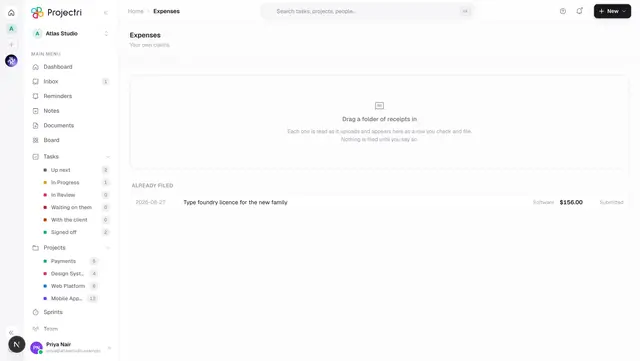
- Expenses — a person's own claim, which is a different document from a supplier's bill.