Admin console
Customer status
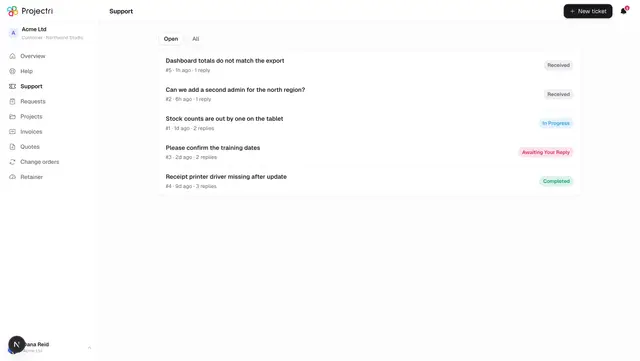
What customers are told a ticket or a task is doing, mapped from the internal status your own team works in.

What it is
Two vocabularies exist and this screen is the join between them. Internally a ticket can be Awaiting Internal and a task can be In Review; a customer is shown a short list whose only job is to answer "is anything needed from me, and is it finished". This is where you decide which internal state maps to which customer-facing one, and what wording it carries.
How to get there
Work → Customer status in the admin console rail, at /<workspace>/admin/status. Reading the mapping needs support.view; saving it needs support.manage.
How to use it
Map a status
- Choose the Tickets or Tasks tab. Each lists that entity's internal statuses.
- In the middle column, pick what customers see. The eight choices are Received, In Progress, Awaiting Your Reply, In Review, **On Hold, Completed, Closed and Cancelled. Leaving a row on Use default** falls through to the built-in map, and the option names what that default is.
- The choices that ask the customer to act are labelled as such in the picker, so you can see the consequence before you pick one.
- The third column is optional wording of your own, up to 60 characters — "With our design team", say, in place of "In Progress".
- The right-hand pill previews exactly what the customer will read.
- Press Save wording. Discard appears while there are unsaved changes.
What it affects
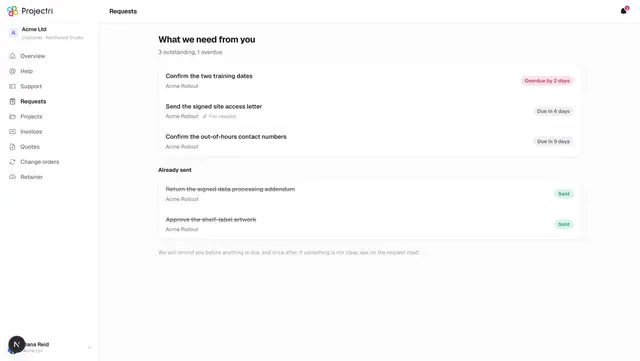
- The client portal, everywhere a ticket or task state is drawn — the list rows, the detail pages and the timeline.
- "Awaiting your reply" is a behaviour, not a label. That one key carries the "you need to act" affordance in the portal. Rewording it is fine; mapping something else onto it to get the badge changes how the portal treats those items.
- Editing is retroactive, on purpose. Nothing is written onto the ticket, so changing a row changes what every existing ticket in that state shows. Stamping the derived value at save time would make the same word mean two things depending on when the ticket moved.
- Nothing internal changes. Your team keeps working in the internal vocabulary; this only decides what leaves the building.
- Saving clears the shared cache, so a change reaches every open portal session without a redeploy.
On mobile
This screen is web only. The wording it produces is what the portal app shows a client.
Limits and gotchas
- A row left on Use default is stored as an absence, not as a mapping to today's default value. That is what keeps the built-in map upgradable for you — a workspace that never opens this screen still gets sensible wording, and gets a better one if the defaults improve.
- Saving an empty table is safe, and means "use the defaults for everything".
- Internal statuses cannot be added here. Task stages are configured on Workflow; ticket statuses are fixed.
- The eight customer-facing keys are fixed. You can reword any of them; you cannot add a ninth.
Related
- Workflow — the internal stages this maps from.
- SLAs — the promise running behind the wording.
- Tickets in the portal — where a client reads this.
- Tasks in the portal — the other side of the same map.