Expenses
File a folder of receipts in one sitting, claim mileage and per diem at computed rates, and — if you approve — work the queue of submitted claims.
What it is
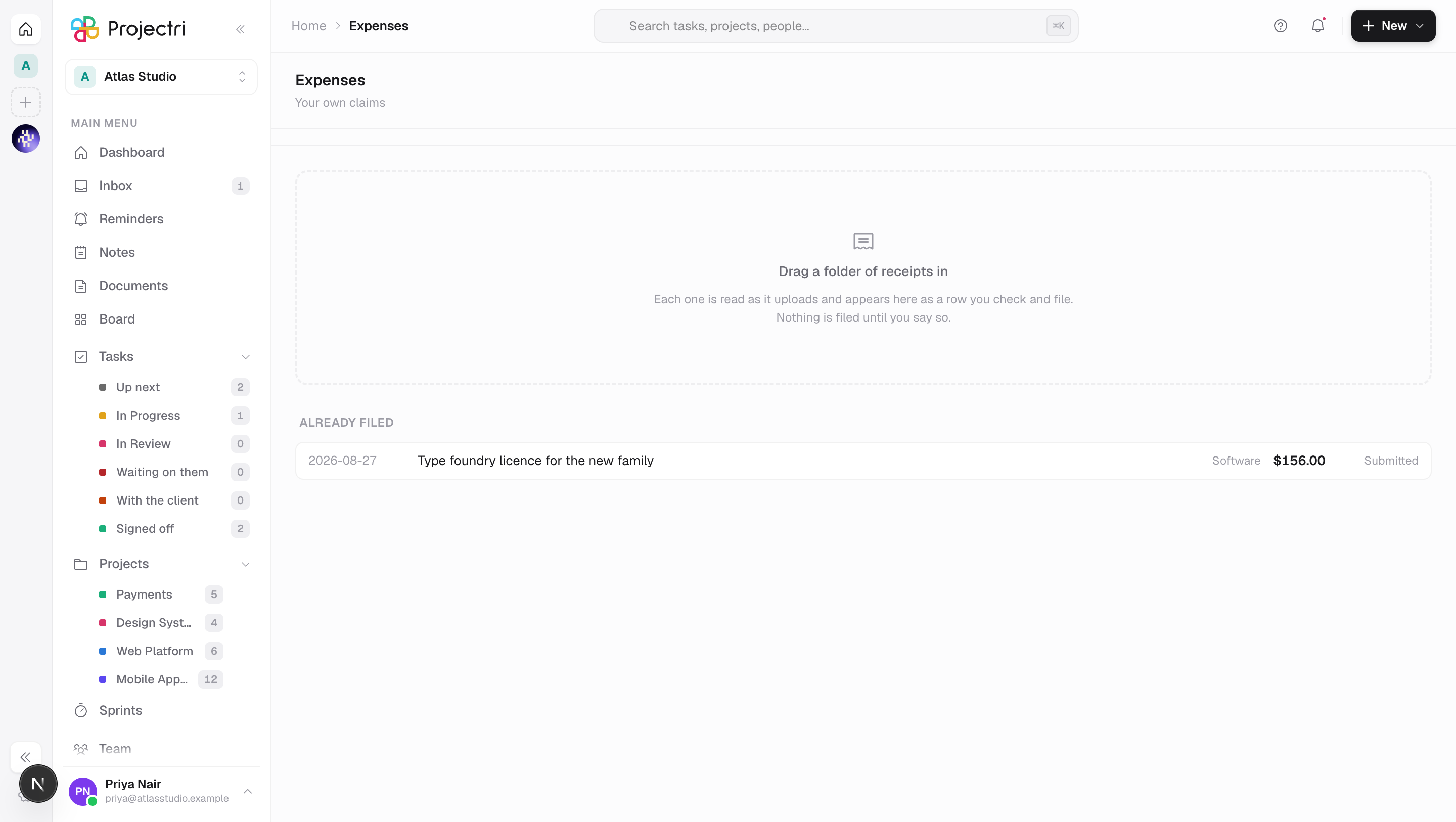
Expenses is the bulk surface for claims. Drag a month of receipt photographs in, each one is read as it uploads, and you check the numbers and file them. Mileage and per diem are separate modes because their amount is computed from the journey rather than typed. A fourth tab is the approver's queue.
How to get there
Expenses is in the main navigation. The row appears for anybody holding either finance.expense.manage — the key that records a claim — or finance.expense.approve. Two features live behind one route and the second is somebody else's key; gated on manage alone, a team lead who may only approve could not reach the queue that exists for them.
Which tabs you get follows from that. Receipts, Mileage and Per diem need finance.expense.manage; Approvals needs finance.expense.approve. Neither is shown to somebody who would only meet a refusal.
How much you see is decided by the server. finance.expense.view — a sensitive key — shows every claim in the workspace; without it you see your own, which is the point: the person who submitted a receipt has an obvious right to see what happened to it. The line under the title says which.
finance.expense.override allows approving a claim that breaches policy.
There is no plan gate on this screen.
How to use it
File a folder of receipts
- Drag the files onto the page, or press Choose receipts. Images and PDFs only; anything else is skipped with a count.
- Rows appear immediately and fill themselves in as each receipt is read — amount, currency, date, vendor and category.
- A field the reader was unsure about is outlined and marked check. The value stays in the box, because dropping it would hide the one thing you need in order to correct it.
- Anything you type is kept. A correction made while the receipt was still being read is never overwritten by the answer arriving second.
- Set the project and untick Rebill to the client where it does not apply.
- File submits one row. Filing is submitting — the claim goes straight to the approver's queue rather than sitting as a draft.
File everything that is ready
- The header button files only rows that are complete and carry no low-confidence field and no warning.
- Anything held back is counted in a strip at the top, which says why — a missing amount or date, or a flagged reading.
- That is stricter than the per-row File button, deliberately. Somebody pressing File on one row has that row's number under their eyes; somebody pressing file-all has a total.
Claim mileage or per diem
- Switch to Mileage or Per diem.
- There is no amount field. The figure is computed from the journey and shown live, with its breakdown — 142 km × 0.45 — beside it, so the number is arguable before it is submitted.
- Where no rate is configured, the form says so in a sentence rather than quietly producing nothing.
- Your filed claims stay listed underneath, so the computed amount appearing in the list is the confirmation.
Answer a policy finding on your own claim
- Filed claims are listed at the bottom of the receipts tab and under both claim forms.
- A flagged claim expands to quote the finding in full.
- Write the justification and save it. Only the person who filed the claim may write it — an approver writing their own justification makes the record worthless.
- Re-check re-evaluates the claim, because the commonest way a violation goes away is that the missing receipt gets attached.
Approve claims
- Switch to Approvals.
- Approve all takes only clean rows, and says how many it is leaving behind.
- A flagged row cannot be approved from the list — it expands, so the finding and the claimant's justification are read before the decision, which is the entire reason the policy engine exists.
- Your own claim is never approvable here. The server refuses it and the row says so rather than offering a button that fails.
- Where you hold the override key the button reads Override and approve, because approving a breach is a different act and the audit record already treats it as one.
- A row is re-evaluated on the server at the moment of approval, so a claim that was clean when the queue loaded and has since been flagged is caught.
What it affects
- Project cost. A filed expense lands against its project and, where billable, is rebilled to the client through the ordinary finance path.
- Currency. The amount is converted to the workspace's reporting currency once, when it is filed, and the rate used is stored. An expense in AED entered today and read next quarter still says what it cost, not what the same dirhams would cost after the rate table moved.
- The card queue. A filed expense becomes a candidate for matching against an imported card transaction — see Cards.
- Policy. Policies flag; they do not block, except where a rule is explicitly set to. Hard-blocking submission produces creative miscategorisation, which is worse than a visible violation.
- Extraction accuracy. Filing records which of the proposed fields you left alone. A field you corrected is not reported as accepted, so the accuracy figure is not just a count of how often somebody pressed File.
On mobile
The phone owns the single receipt at the moment it is handed over — photograph it and it is filed before you put your wallet away. The Expo app also lists your claims, shows what policy said about each, and lets you write the justification, because the claimant is the only person who can answer a finding. Approving is a separate screen there and only appears for somebody holding the key.
Limits and gotchas
- Uploads run four at a time. Dropping forty photographs must not open forty parallel requests; this keeps the first row reviewable within a second while the rest arrive behind it.
- A failed upload does not lose the claim. The row stays typable and files without an attachment, labelled not attached.
- A receipt that could not be read is a row to fill in by hand, not a dead one.
- Expense policies resolve client, then team, then workspace, and limits are compared after conversion at the expense date. Comparing raw amounts across currencies is a bug that looks exactly like a policy.
- The filed list reads at most 100 claims.