Revenue
What has been earned against each contract, and what was billed for the work behind it — recognition and realization on one screen.

What it is
Revenue holds the two figures a firm closes a month on. Recognition says how much of each contract has been earned to date, under that contract's own method rather than inferred from hours. Realization says what the invoices that came out of the work were worth against the standard value of the work behind them. Both are read-only; the thing that fixes a bad number is a field on a contract or an invoice.
How to get there
Revenue sits under Reports in the main navigation, gated on report.financial — the "view revenue, billing and margin figures" permission. Both routes behind the page answer a flat refusal without that key rather than stripping the money, because there is nothing left of either report once the money is gone. That is why the row itself is gated on the finance key and not on report.view. There is no plan gate.
report.cost is not involved here. Recognition and realization are revenue figures, not cost ones.
How to use it
Read the recognition schedule
- Open the Recognition tab and set Recognized as at with the date picker. It defaults to today.
- The tiles are Recognized, Unearned, Contracted and Measurable — the last as a count of contracts whose declared recognition method could actually be applied, out of all of them.
- When some contracts could not be measured, the first tile reads **Recognized (at least)**. It is a floor, not the figure, and the contracts missing an input are listed below as a work queue — each is one field away from a number.
- The schedule lists contracts largest-unearned first, with Contract, Method, Value, Completion, Recognized and Unearned. Every row carries the sentence saying how its figure was arrived at, which is the only kind of figure anybody can argue with.
- The four methods are milestone, straight-line, cost-to-cost and on delivery, and each measures a different thing — milestones complete, the term elapsed, expected cost incurred, or delivered or not.
Read realization
- Open the Realization tab.
- Period offers This period, Last period, This quarter, Year to date and This year. Periods follow the workspace's fiscal calendar, not the Gregorian one, and the page states which period it used.
- Grouped by switches between By project and By client.
- The tiles are Realization, Billed, Standard value and **Written off**.
- Rows are worst first, banded as at or near the rate card, slipping, discounted, or unrated where no standard value was recorded. A group with no standard value is unrated rather than rated 100%.
- Where the shortfall is bigger than the recorded write-offs, the row flags the remainder as unexplained — a discount applied at invoicing that no write-off accounts for. Billing above standard is flagged too.
What it affects
- Nothing here writes anything. Every figure is computed from contracts and from invoice lines.
- Realization exists because invoice lines keep three numbers. What was charged, what the work was worth at the rate card, and what was written off are stored separately. A system that keeps only the invoiced figure has thrown the difference away for every period before somebody noticed.
- Invoices arrive from the ERP. Realization is measured on synced invoice lines, so a period with none reports no realization rather than 100%. Until the ERP connection is configured, nothing is ever marked billed.
- A contract's recognition method is what is being applied. Setting or correcting the method, the value or the milestone weights on a contract moves its row here and can move it out of the "not measurable" list.
- Revenue recognition and Realization are both schedulable. Both appear as built-in reports in scheduled delivery, rendered by the same engine with the recipient's own permissions.
On mobile
Revenue in the app has the same two panes and nothing editable, for the read before the month-end call. The as-at date is a chip strip — Today, End of last month, End of last quarter — rather than a date picker, and the same period and grouping choices are chips. The three rules the web applies are mirrored there.
Limits and gotchas
- A zero with no method is not zero. A contract the engine could not measure returns nothing recognized and no completion. It never enters a total, which is why the tile says "at least" and the unmeasurable contracts are named.
- Deferred and backlog are one figure until billing tells them apart, so they are printed once as Unearned rather than twice.
- A mixed-currency book is not summed. Contracts are reported as issued; totals are left unconverted rather than added at today's rate, and the page says so. Summing them silently is how a backlog figure moves 4% overnight for no commercial reason.
- Completion and realization are on different scales. Completion is a fraction of the work; realization is already a percentage. They are formatted by separate rules for that reason.
- Recognition is never inferred from hours logged. A fixed-fee contract being delivered faster than it is being earned is exactly the thing this screen exists to show.
Related
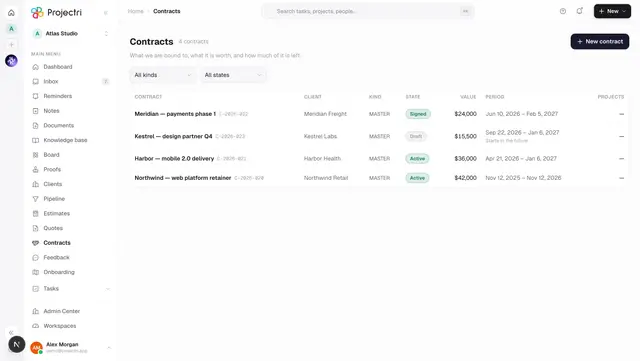
- Contracts — where a contract's value and recognition method are set.
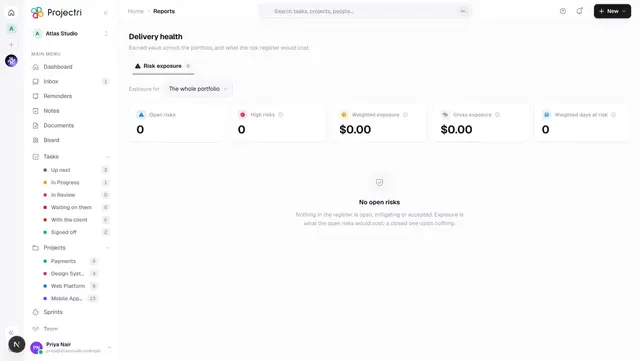
- Delivery health — the same portfolio judged on cost and schedule rather than revenue.
- Finance setup — rate cards, currency and the ERP connection these figures depend on.
- Scheduled delivery — having recognition or realization arrive on a cadence.