Support
The internal ticket queue — raise, triage, reply to and resolve support tickets, with SLA state, escalations, work orders and a route into the knowledge base.
What it is
Support is the ticket desk seen from the inside. It holds what customers and colleagues have reported, what state each is in, who is on it, what was promised and what has been done — with the client's half of the same conversation living in the client portal.
How to get there
Support in the main navigation, gated on support.view.
support.view gets you a queue; it does not decide which tickets are in it. You see a ticket if you reported it, are assigned it, are on the team it is assigned to, were named as a participant, or are on its project. support.manage — the agent grant — is the bypass and shows the whole queue, including unassigned tickets with no project on them.
Raising a ticket needs support.create. Changing status, priority and the rest of the fields, and managing work orders, needs support.manage. Turning a ticket into an article needs kb.create.
How to use it
Read the desk
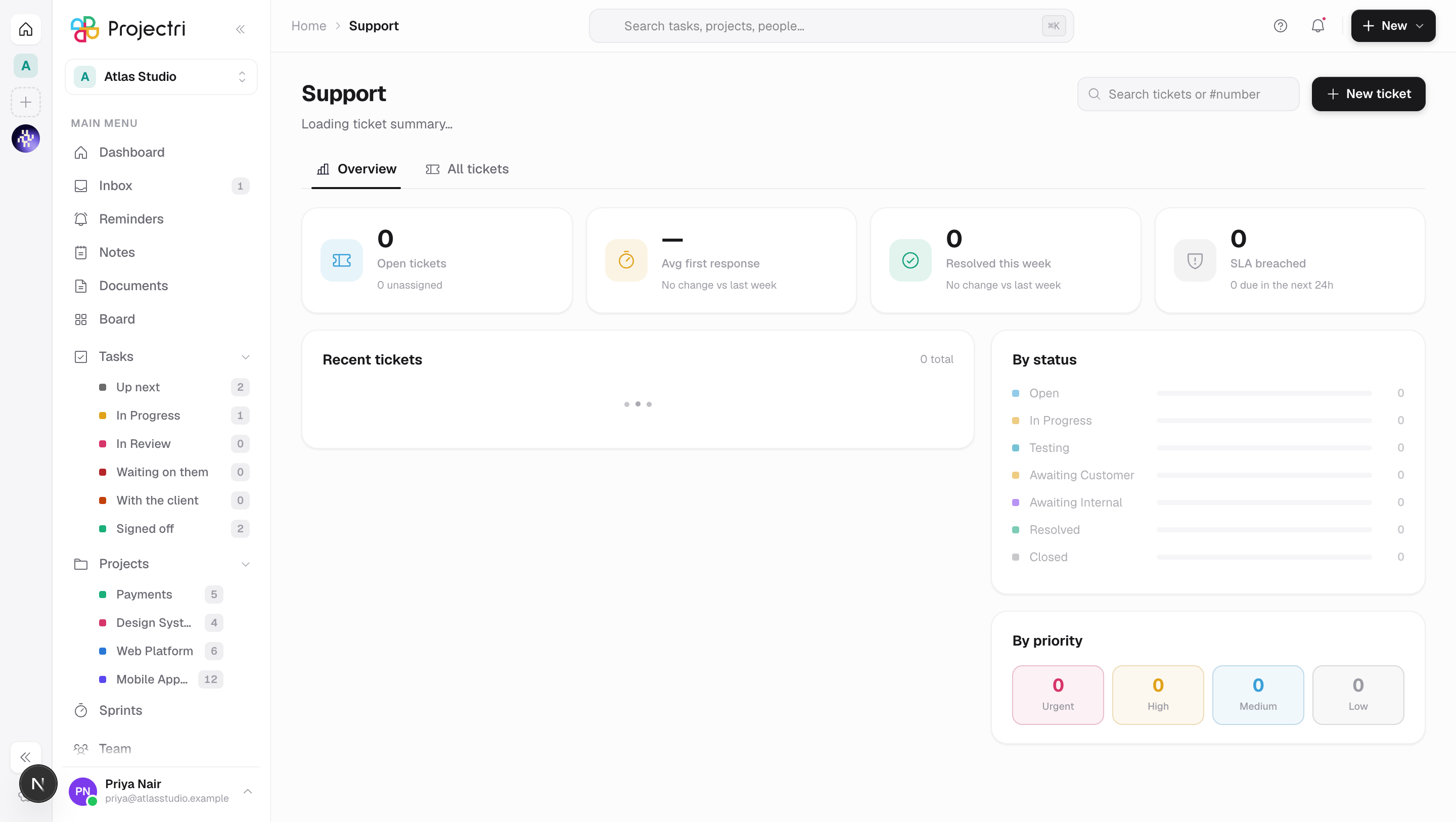
- Overview carries open tickets, average first response, resolved this week, and SLA breaches, followed by the recent tickets and breakdowns by status, priority, category and agent workload.
- Every one of those breakdowns is a way in — clicking a slice takes you to the matching filter on All tickets.
Find a ticket
- The search box in the header matches title, description, and a bare ticket number.
- All tickets carries filters for status, priority, category, assignee, reporter and project, and a sort.
- The open ticket lives in the address as
?ticket=…, so a link to one survives a refresh and can be pasted to a colleague.
Raise one
New ticket in the header. It is created immediately, opened, and confirmed by its key.
Work one
- The header of a ticket carries its key, status, priority, the channel it arrived on, and an SLA breached flag when the promise has been missed.
- The description is edited by clicking it.
- Attachments on the ticket itself are the evidence; files posted with a reply hang under that reply instead.
- Reply writes to the reporter. The toggle beside the box switches it to an Internal note, which the reporter does not see — the box changes colour and says so while it is armed.
- Conversation and Activity are two tabs: what was said, and what was changed.
- The panel on the right sets status, priority, category, impact, the project and the people on it. Resolve appears while the ticket is neither resolved nor closed.
- Beside the lifecycle status there is a customer status — what the client is shown. It is derived from the internal one unless you pin it here.
Escalate and commit
- Escalations appears above the conversation once a ticket has escalated, and lists who has been pulled in. It renders nothing on a ticket that never escalated, which is most of them.
- Work orders is what the ticket was turned into — the actual work committed to. A work order's status rolls up into the ticket's.
Turn an answer into an article
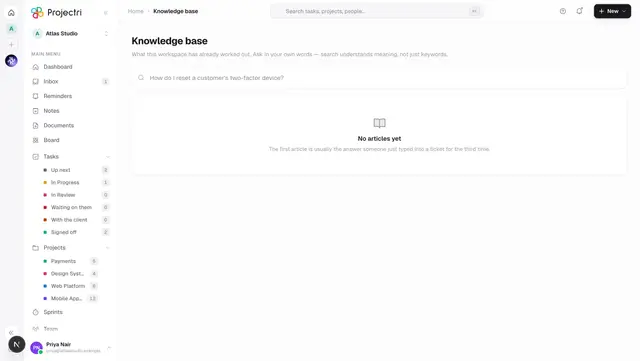
Convert to article sits in the ticket header, next to Delete. It is offered once a ticket is resolved or closed and you can write to the knowledge base. It lifts the answer into the knowledge base so the next person asking finds it without a ticket.
What it affects
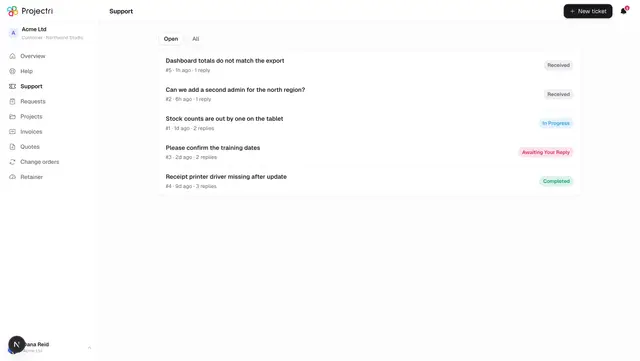
- A public reply reaches the reporter. In the client portal it appears as a message on their ticket; an internal note never does.
- The customer status is what the client sees. Pinning it overrides the mapping from the internal status for that ticket only.
- A breached SLA is not just a badge. It counts on the overview and, where a policy says so, escalates and notifies. The clocks and the ladder are configured in SLA and escalation.
- Notifications follow the same visibility rule as the queue. Nobody is told about a ticket they would then be refused, because the audience is derived from the same four relationships.
- A work order carries the delivery, and moving it can change the ticket's own status.
- Attachments count against the workspace's storage on the billing page.
On mobile
The Support screen in the phone app is the queue, with rows leading on SLA state — that is what somebody checks their phone for. The full agent console, including internal notes and reassignment, stays on the web.
Limits and gotchas
- A ticket you cannot see returns "not found", not "forbidden". Confirming a ticket exists would itself be a leak on a sequentially numbered queue.
- Deleting a ticket is offered to its reporter and to administrators, and it is permanent — it asks first.
- Convert to article is not offered on an open ticket.
- Attachments are limited by type and size; a file the desk will not take is refused by name before anything is uploaded.
- The queue pages a hundred at a time and will not return more than two hundred in one request.
Related
- Knowledge base — where a converted answer lands.
- Portal tickets — the client's half of the same conversation.
- SLA policies — the clocks behind first response and resolution.
- Escalation — who gets pulled in when a promise slips.