Workload
Who is carrying what and who has room — open tasks, overdue work and logged hours against each person's weekly capacity, with the capacity and skills editable in place.

What it is
Workload is one row per member with two kinds of number side by side. Assigned — open tasks, overdue, due in seven days, projects — is commitment. Logged — hours booked over a trailing 28 days — is effort actually spent. They are never blended into a single "utilisation" figure, because they routinely disagree and the disagreement is the useful part.
Twenty open tasks and no logged hours is a planning problem. Two tasks and sixty hours is a scoping problem. One percentage would hide which.
How to get there
Admin → People → Workload. It needs the ADMIN role — this screen and its route are role-gated rather than keyed on an individual permission.
How to use it
Read the table
- The five tiles at the top are the totals: Open, Overdue, Logged, how many people are over capacity, and how many are idle.
- Each row shows the person, their role, their department and title, then the four assigned counts, then logged hours against capacity for the window, then up to two skills.
- The bar and the percentage are banded, not a gradient: **red at 100% or more, amber at 75% or more**, green below. Exactly 100% is over, because somebody booked to the minute of their capacity has no room.
- Suspended members are shown dimmed and labelled.
Find somebody
- The search box matches on name, email, a skill, or a department name.
- The sort buttons are Open (the default, descending, so the screen opens on the people you came here about), Overdue, Logged and Name.
Set someone's capacity
- Click their row. A drawer opens.
- Weekly capacity hours is a whole number between 0 and 168. The drawer shows what it works out to over the report's window as you type.
- Save. The row's bar and percentage move together.
Maintain their skills
- In the same drawer, type a skill and add it. Duplicates are ignored.
- The cap is 20 skills per person.
- Skills are what the search box and the resourcing search read.
What it affects
- Capacity comes from Settings. The window capacity each person is measured against is derived from their weekly capacity hours spread over the trailing window. The workspace-wide default — working days × hours per day — is set on Settings, and a wrong working week there makes every percentage here wrong without erroring.
- Skills feed resourcing. The skills set here are read by the resourcing search and the staffing screens.
- Idle excludes suspended people. A suspended account with no open tasks is not spare capacity somebody can be given work from, so counting it would overstate the room the team has.
- A deleted department does not hide a person. Somebody whose department was deleted still appears — they are exactly the person an admin came here to re-home — with no department shown.
- Teams are read through their department, so a team hanging off a deleted department stops being listed against its members.
On mobile
The Workload screen in the app's Admin hub carries the same table, the same three bands, the same sorts and the same totals — the bands and thresholds come from shared logic, so the phone cannot call somebody over capacity on one screen and fine on the other.
Capacity is editable there: it is one number, and it is the thing somebody changes right after a conversation, which is exactly the moment they are not at a desk. The skills editor is web only — a taxonomy over a controlled list belongs where the whole table is visible.
Limits and gotchas
- The window is fixed at 28 days and is not configurable from this screen. Logged hours are counted over it rather than for all time, because somebody who was busy last quarter is not busy now.
- Utilisation reads 0% when no capacity has been set, rather than dividing by zero. A row of zeroes usually means nobody has set weekly hours yet, not that the person is idle.
- Weekly capacity is a whole number of hours. Half-days have to be expressed in the weekly total.
- Skills are free text, deduplicated and trimmed. There is no controlled list, so "React" and "ReactJS" are two skills.
- The screen never computes a blended utilisation number, and neither should a report built from it.
Related
- Settings — the working week the capacity denominator comes from.
- Teams — the grouping shown against each person.
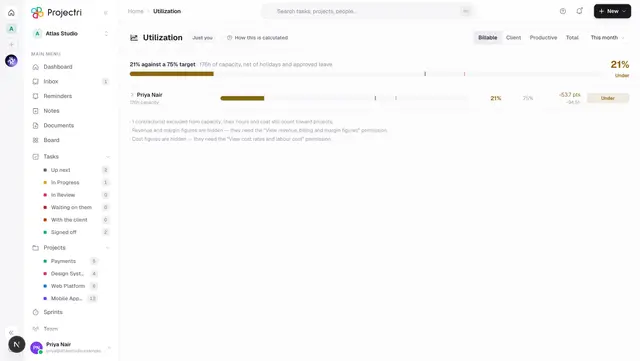
- Utilisation — the member-facing view of the same measure.
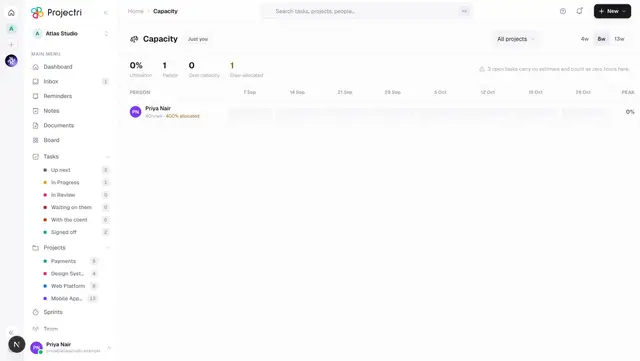
- Capacity — forward-looking capacity planning.