Knowledge base
Write, file, publish and index this workspace's articles, and decide whether each one is internal, visible to customers, or public.

What it is
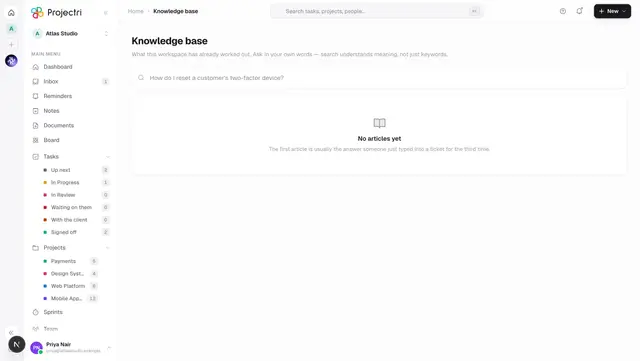
This is the authoring screen for your own knowledge base: the articles this workspace has written about its own work. Reading them happens on Knowledge base; writing, filing, publishing and deciding who may read them happens here. The two are separate screens rather than an edit mode, because the decisions here are not about reading.
How to get there
Support → Knowledge base in the admin console. The console is normally ADMIN-only, but a custom role holding kb.create may open this page without being made an administrator.
| Action | Permission |
|---|---|
| See articles | kb.view |
| Create a draft | kb.create |
| Edit an existing article | kb.update |
| Publish, archive, or set who may read it | kb.publish |
| Delete an article or a category | kb.delete |
| Add a category, reindex | kb.manage |
kb.view is granted broadly on purpose — an internal article is written to be found. kb.publish is not, because visibility is set at publish time.
How to use it
Write an article
- New article.
- Title (up to 200 characters) and Summary (up to 500) — the summary is shown in search results and read by Nia before the body.
- The Body is Markdown: headings, lists, code fences, quotes and links.
- File it under a Category and add comma-separated Tags (up to 20).
- Save, or Save & publish if the status is set to Published.
Decide who can read it
Status and visibility sit together in one box, with the consequence written underneath in the words of the two choices you actually made:
- Draft — only you and other authors can find it.
- In review — waiting for somebody to approve it.
- Published + Internal only — searchable by everyone in this workspace; customers cannot see it.
- Published + Customers — customers signed in to the portal read it exactly as written.
- Published + Public — anyone with the link, no sign-in.
- Archived — kept for the record, hidden from search.
Internal is the default and stays the default.
File articles into categories
- The Categories card takes a name and adds a shelf. There is one level; there are no sub-categories.
- Each chip shows how many articles are in it, and the × removes it.
Find something to edit
- The search box searches the articles; the status chips filter by Draft, In review, Published and Archived, each with a count.
- Authors see everything, archived included — this is the screen where an archived article is revived, so hiding it here would make that impossible.
- Each row shows its status, its visibility, and where it came from: written by hand, from a ticket, a standard procedure, from a recording, or imported.
Reindex
Reindex re-embeds articles for semantic search. It reports how many were indexed, how many were already current and how many are still pending — run it again if there are any. Use it after a save that reported an indexing failure.
What it affects
- Search inside the workspace. A published article is findable by everyone its visibility allows.
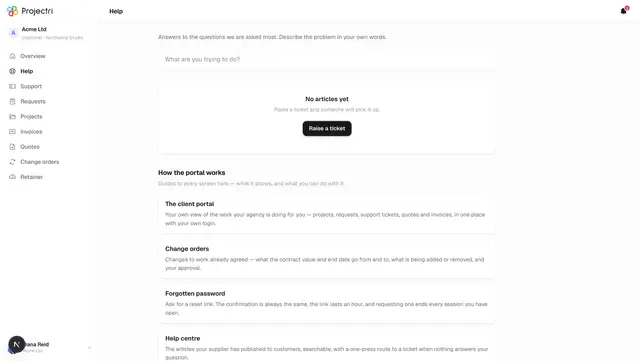
- The client portal. Publishing at Customers visibility makes the article readable on Portal help the moment you save.
- The public web. Publishing at Public visibility makes it readable without any sign-in at all.
- Nia. She reads the summary before the body, which is why a good summary changes the quality of her answers more than a longer article does.
- Deleting is permanent. The screen asks first and says so.
On mobile
/kb in the Expo app is the reader's screen — search, read, and vote on whether an article helped. There is no authoring on the phone: publishing sets who may read an article, including customers, and that is not a decision to take on a phone keyboard between two jobs. Recently read articles survive losing signal, and an out-of-date one says so rather than being hidden.
Limits and gotchas
- Publishing and indexing can disagree. If the embedding fails the article is still saved and published, and the screen says so plainly: keyword search still works, semantic search does not, and Reindex is the fix. Nobody but the author would otherwise find out.
- The body is capped at 200,000 characters. It is chunked and embedded on publish, so an unbounded field would be an unbounded bill.
- Article slugs are unique per workspace, not globally — two tenants both writing "password-reset" is expected.
- These are your articles about your own work. They are a different set from the Projectri help centre you are reading now.
Related
- Knowledge base — the reader's screen everyone else uses.
- Portal help — what a customer sees of it.
- Customer status — the other customer-facing publishing surface.
- Search — how keyword and semantic search differ.
- Nia — what she reads before answering.