
Nia, the assistant
What Nia can read, what she can do, how she works by voice, with files, in a document or on a board, and the things she deliberately cannot see.
What it is
Nia is the assistant built into Projectri. She can answer questions about your workspace, act on it with your own permissions, explain the product from this documentation, listen and speak, read a file you hand her, and write into the note, document or whiteboard you have open.
Two rules govern everything below. She can only read what you can read — every tool re-checks your permissions when it runs, so she is never a way round a gate. And she cannot read anything end-to-end encrypted, because the server holds only ciphertext for it.
How to get there
Nia is in the dock on the right-hand side of the web app, on every screen, and on the Nia tab in the phone app. On this documentation site the Ask Nia button opens her with the page you are reading already in hand, and on the Projectri marketing site a launcher in the corner answers questions from the published help centre and these pages.
She needs no permission key of her own — the permission checks happen inside the tools she calls. She does consume a plan meter: one turn is one agent run against the agents.runs entitlement, and the tokens she spends count against ai.tokens. On the Free plan agents.runs is zero, so the panel refuses before the answer starts rather than mid-stream.
How to use it
Ask about your own work
- Open the dock and type. "What's on today?", "what's overdue on Apollo", "how did the sprint go", "what's our margin on Apollo".
- She looks things up with tools, and the grey chips above the reply say which ones ran and what each returned — "Created APO-42", "Read 12 tasks".
- Times and dates come back in your own timezone and in ordinary words, not as
IN_REVIEWor2026-04-29T00:00:00Z.
Ask her to do something
- Say what you want in one sentence — "add a task to Beacon and give it to Sam", "move APO-42 to in review", "remind Mo tomorrow at 9 about the contract".
- Projects, people and tasks are resolved by name, key or email, not only by id, so you never have to look one up first.
meworks for yourself. - Where the request is ambiguous she asks rather than guessing. Two projects whose names both match is a question back, never a coin toss.
- Everything she writes fires exactly what the screen would have fired: the notification, the timeline entry, the watcher subscription, the automation rule. The activity row is marked as done by her, on your behalf.
Ask how the product works
- Ask "how do I fix a rejected time entry", "where do I turn on two-factor", "why can't I see the client list".
- She searches this documentation with
search_helpand reads a whole page withread_help_pagewhen a passage stops short, and cites the/docslink so you can read the rest. - The corpus is filtered to the kind of person she is talking to. She will not send a member to an admin-console screen that would bounce them.
Talk to her
- Press the microphone. On the phone speech is recognised on the device; on the web the browser's recogniser is used where it exists, with Nia's own speech socket behind it.
- A three-second silence ends your turn, not the recogniser — so a pause to think does not truncate the sentence.
- She speaks the reply as it is being written. Saying "stop the call" hangs up immediately; it is matched on your device and never sent.
- On an iPhone, "Hey Siri, ask Projectri…" opens her from the lock screen, with the app closed. The phrase must contain the app's name — Apple requires it.
Show her a file
- Use the paperclip, paste, or drag a file onto the panel. On the phone the paperclip offers the photo library, the camera and a file.
- Five files per turn. An image may be 10 MB, a document 5 MB, and at most 40,000 characters are kept from each document.
- A row above the answer says what became of each file — Read, *Read the first part of, Couldn't read, or No room left for*. Those four are different problems: an unreadable scan wants attaching as a picture, a file with no room wants a fresh conversation.
- Images are looked at as pictures. Documents are read to text once, at upload, and the file itself is then deleted — so a spreadsheet never counts against your workspace's storage. Attachments are kept for seven days.
Write with her in a note or document
- Open the note or document, then ask — "draft me a PRD", "tighten the second paragraph", "put that screenshot in".
- She can replace the body, insert at the start, the end or after an exact phrase, find-and-replace, insert a chart or an image you attached to the turn, apply a layout template, and rename it.
- Her edits arrive as ordinary co-editing changes, so everyone with the document open sees the text land as if a colleague had typed it, a version is cut, and undo still works. Grey placeholders hold the space while she writes.
- Edits are made by finding text, not by position. An instruction that matches two places is refused rather than applied to the first one.
Draw with her on a board
- Open a whiteboard, then ask. She can read the board, create, update and delete items, and apply a template.
- The board she acts on is the one you are looking at — there is no way to name another board, by design. Leaving the board unbinds her from it.
- On a read-only share she says so instead of offering to draw.
What it affects
- Permissions are the real boundary. Every tool re-derives your workspace from your session and re-checks the key it needs. A VIEWER asking her to create a task is refused by exactly the line of code that refuses an external agent. See Roles and permissions.
- Anything she writes is a real change. A task she creates notifies its assignee, appears in the timeline, and can trigger an automation. There is no separate "assistant" copy of anything.
- The activity feed says it was her. Your name stays in bold — she acted as you — with a byline recording that it went through Nia. Writes also produce an audit entry.
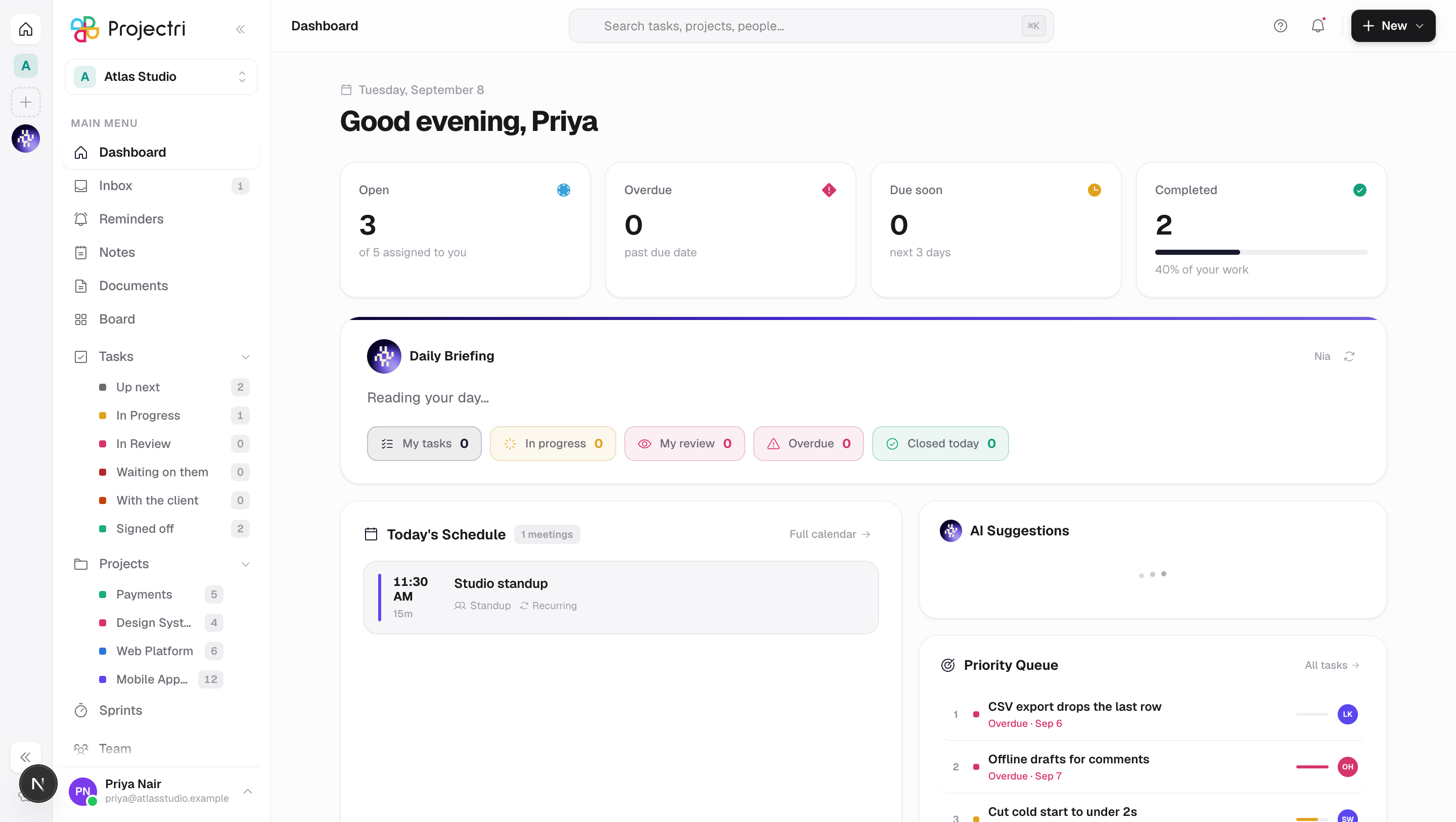
- The daily briefing is the same machinery. The card at the top of the dashboard is written per person from that person's own day, and "brief me" in chat answers from the same facts, so the two cannot disagree about how many things are overdue.
- Plan meters move. One turn is one
agents.runs; the tokens are counted againstai.tokensand appear on the workspace's AI usage screen. Token counts are an estimate and are labelled as one. - Encrypted conversations are absent. She can read and summarise an ordinary channel. An end-to-end encrypted channel or direct message is ciphertext to the server, so it is not in her reach, not in search, and not in an export.
On mobile
The Nia tab is the same assistant with the same tools, because the tools run on the server: a change to what she can do reaches the phone without a new build. Voice is on-device recognition with her own speech played back. The paperclip opens a sheet with the photo library, the camera and a file picker. With Read aloud on she also speaks notifications as they arrive — including on iOS with the app force-quit, where the spoken line is delivered as the notification's own sound.
Limits and gotchas
- A turn ends in an answer, not in an action. She gets up to ten tool steps per question; the last one has its tools withheld so a turn can never stop mid-hunt with nothing said. If the answer is thinner than you wanted, ask her to continue — what she found is in the transcript.
- History is trimmed, not summarised. The last twenty turns are sent back; older ones are dropped. Your questions are clipped at 4,000 characters, so pasting a whole logfile crowds out the conversation around it.
- A document she cannot open is not an error. If the panel is still pointed at something you no longer have access to, the turn quietly becomes an ordinary conversation with no writing tools in it.
- Attachments expire after seven days and are scoped to the person who uploaded them. A colleague's file id is not a way to have her read their private conversation.
- She does not know the product from training data. She is told to search this documentation rather than answer from memory, and to say when something is not covered. If she cites a
/docspage, that page is the source of truth. - Voice is English-only for now, and if the speech service is unreachable the line goes unspoken rather than being read by the operating system's voice. The reply is still on screen.
- Public Nia on the marketing site is a different assistant. She has no tools, no permissions and no view of any workspace — only the published help centre and these documentation pages.
Related
- Roles and permissions — the keys every tool she calls is checked against.
- Plans and entitlements — where
agents.runsandai.tokenscome from. - Search — the same index she reads, and what is not in it.
- Messaging and encryption — why an encrypted channel is invisible to her.
- The API, MCP and apps — the same tool layer, for an agent outside Projectri.