Meeting notes
The notetaker policy — what the room is told, what silence means, how long a transcript is kept — and every recording taken under it.

What it is
Two things on one screen: the policy that governs recording meetings in this workspace, and the recordings taken under it. They are together deliberately — separating them is how a workspace ends up with a retention setting nobody has ever compared against what is actually being kept.
How to get there
Work → Meeting notes in the admin console.
- Reading the policy and the recordings list needs
meeting.notes.view. The read is open to anyone who can read a transcript on purpose: "what is the policy here, and how long is this kept" is a question the person being recorded is entitled to ask without an administrator. - Changing the policy needs
meeting.notes.manage. - Starting and stopping a recording is a third key,
meeting.notes.record, and that happens on the calendar, not here.
Recording consumes the ai.notetaker entitlement (PRO). The workspace also has a feature switch: when the notetaker is not enabled, a card at the top says so and no new recording can start — but the settings stay readable, because retention keeps running either way and a policy nobody can read is not one.
How to use it
Set the policy
- Record meetings off means nobody in this workspace can start a recording, whatever else is set here.
- What silence means is the choice that matters:
- Announce and start — everyone is told and recording begins. Anyone can still decline, which stops it for the whole room. - Wait for everyone — nothing is captured until every attendee has agreed. Somebody who says nothing has not agreed.
- Keep transcripts for takes a number of days, counted from the end of the meeting.
- Clients and other external attendees off means a meeting with somebody outside this workspace is refused rather than recorded without them.
Set what the room hears
The What the room is told box is the announcement made and recorded at the start of every session. Leaving it blank restores the default rather than announcing nothing, and the resolved text is printed underneath as In force now, so a policy cannot silently fall back to something in the wrong language.
Work the review queue
- Recordings lists everything recorded in this workspace, oldest first — the oldest is the one about to be swept.
- The card header states how many were recorded, how many are waiting on somebody, how many items are outstanding, and how many were **already deleted, unreviewed**.
- A row shows the meeting, its time, its status, and the date its transcript will be deleted. An amber badge counts the proposals still waiting.
- Open a row to read the transcript, the summary and the decisions, actions and risks it proposed.
See what is coming up
Coming up lists your own next few days — meetings here and on any calendar you have connected — with the ones happening now and the ones on a calendar we cannot record marked. This is your diary, not the workspace's; the card says so, because on an admin page a list of meetings otherwise reads as everybody's.
What it affects
- Whether a meeting can be recorded at all. The master switch, the external attendee rule and the consent policy are enforced when somebody presses record on the calendar.
- What the attendees hear. The notice text is read out and stored with the session as evidence of what was announced.
- When transcripts disappear. The retention number in force is **frozen onto each recording when it starts**, so changing it does not rewrite a promise already made to a room.
- Registers elsewhere in the product. Accepting a proposal files a decision, an action or a risk into its own register, which needs that register's own permission — reading and rejecting do not.
- Privacy. The notetaker's retention is separate from the categories on Privacy; both sweeps run, and neither overrides the other.
On mobile
/meeting-notes in the Expo app is the review queue and nothing else: read a proposal's quote, decide whether it happened, file it or clear it. Each row carries the server's own deletion deadline, because a handset an hour behind would show a session as reviewable on the morning it was swept. Starting a notetaker, stopping one, and the settings on this page stay on the web.
Limits and gotchas
- Turning the notetaker off stops new recordings. It does not delete anything already recorded, and the retention clock keeps running.
- Changing the retention number applies to future recordings. Each existing session keeps the number that was in force when it started.
- With Wait for everyone, one attendee who never responds is enough to keep the recording from starting. That is the setting working.
- With external attendees disallowed, a meeting with a client is refused outright rather than recorded with the client edited out.
- The recording notice is announced in the meeting; it is not a consent record on its own.
Related
- A meeting's notes — the transcript, summary and proposals.
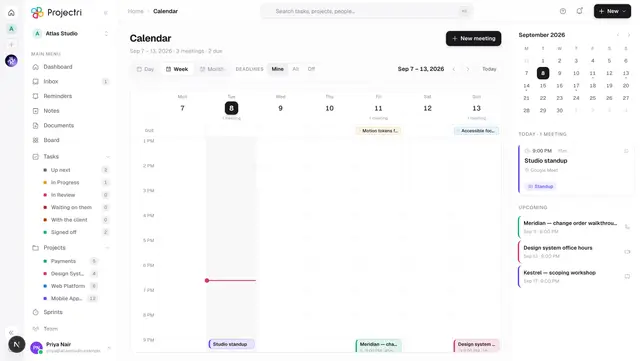
- Calendar — where a recording is actually started and stopped.
- Privacy — retention for everything else, and legal holds.
- AI spend — what the notetaker costs against the workspace's AI budget.