Settings
Branding, region, locale, the working week and storage policy — the tenant preferences that every other screen in Projectri reads.

What it is
Settings holds the workspace's preferences: its accent colour and email header/footer, the country it operates in and the currency it reports in, the timezone, date format and language, the working week, and the storage limits.
Almost everything on this page is an input to something else. The working week in particular is the denominator of every capacity and utilisation figure in the product.
How to get there
Admin → Organization → Settings. The console needs the ADMIN role. Reading the page is keyed on settings.view; saving is settings.manage. The Region card disables its own controls for anybody without settings.manage rather than letting them type into a form that will be refused.
How to use it
Set the region
- In the Region card, pick the Country.
- The hint under the picker says what it will do — *"Sets the working week (Sun – Thu), timezone and date format."*
- Press Save region. Changing the country re-derives the timezone, the date format and the working week from the country's own conventions.
- Correcting the Reporting currency alone does not re-derive anything. Only a country move does.
Change the reporting currency
- Pick one in the Reporting currency row and save.
- If the picker is disabled and says Locked, this workspace already has financial records stored in that currency and it cannot be changed. See the warning below.
Tune the working week
- In Working time, toggle the days that are working days. At least one is required.
- Week starts on decides which day every calendar and week-based report begins with.
- Business hours is the span of the day, local to the timezone above.
- Hours per day is billable capacity, which is usually less than that span.
- The card footer does the arithmetic for you — *"Capacity per person per week is 40.0 hours — 5 working days × 8h."*
Set the locale
Timezone, Currency, Date format and Language are in the Locale card. These are display preferences; the reporting currency in the Region card is a different thing and lives apart from them on purpose.
Branding and storage
- Accent colour takes one of eight presets or a hex value, and can be returned to the default.
- Email header and Email footer appear on outbound mail.
- Maximum upload size is in MB, between 1 and 2048, and applies to attachments and document files.
- Retention optionally sets a number of days after which soft-deleted items are permanently removed.
The save bar at the bottom appears once something is dirty, and only the fields you actually changed are sent — so saving the branding card cannot overwrite a locale value another admin changed thirty seconds ago.
What it affects
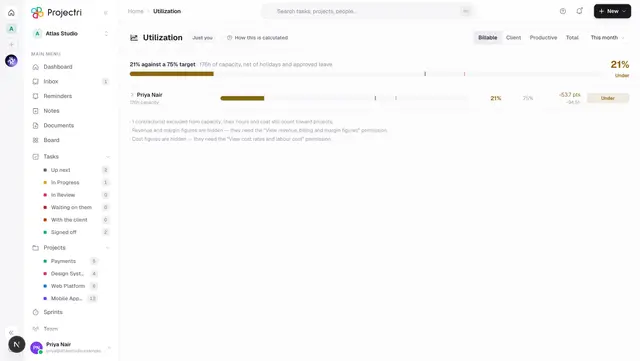
- Capacity and utilisation. Working days × hours per day is the weekly capacity every person is measured against on Workload and on the utilisation reports. A wrong working week does not produce an error — it produces wrong percentages everywhere, quietly.
- What "today" means. The timezone decides the boundary the dashboard, the calendar and every "due today" count use.
- Week-based reports. The week start decides where a week begins in the calendar, the timesheet grid and every weekly rollup.
- Money. The reporting currency is the unit of every stored financial figure. Contracts, clients and expenses keep their own currency and convert into it at the rate in force on the day.
- Uploads. The maximum upload size is enforced on attachments and document files.
- Outbound email. The accent colour, header and footer are applied to mail this workspace sends.
On mobile
The app's Workspace settings screen carries the name and the locale block — timezone, currency, date format, language, week start and the working days. Those are the values that show up everywhere else in the product. The branding hex fields and the retention policy stay on the web, where there is a colour picker and room to read the consequences.
The name and the settings save through two different routes, and both are partial writes, so saving one card on the phone cannot clobber an edit made from a laptop a second earlier.
Limits and gotchas
- At least one working day is required. The screen refuses an empty set before sending it, and the server refuses it too.
- The working day must end after it starts.
- Retention is stored as policy and nothing sweeps on it yet. The screen says so under the card. Turning it on does not currently purge anything.
- The country picker is searchable and grouped by region. A non-contiguous working week — Saturday to Wednesday, say — is described as a comma list rather than a range, because it is not one.
- The workspace name and slug are not here; they are on Company.
Related
- Company — the name, mark, slug and subscription.
- Workload — where the working week becomes a capacity figure.
- Utilisation — the report the same denominator drives.
- Languages and locale — how language and formats are applied.