Meeting notes
The transcript, summary and proposed decisions, actions and risks from one recorded meeting, and the review queue where you decide which of them become real rows.
What it is
When a meeting is recorded, Projectri transcribes it on the device that is listening and then reads the transcript back to draft decisions, actions and risks. This page is where one meeting's results are reviewed. Nothing is filed automatically: each proposal becomes a real row only when a person accepts it, and the words it came from are shown underneath so you can check.
How to get there
There are two ways in, and neither is a navigation item:
- From the meeting itself. Open the meeting on the calendar, and once the notes are drafted the Meeting notes panel offers Review what was proposed.
- From the admin recordings list, if you have
meeting.notes.manage.
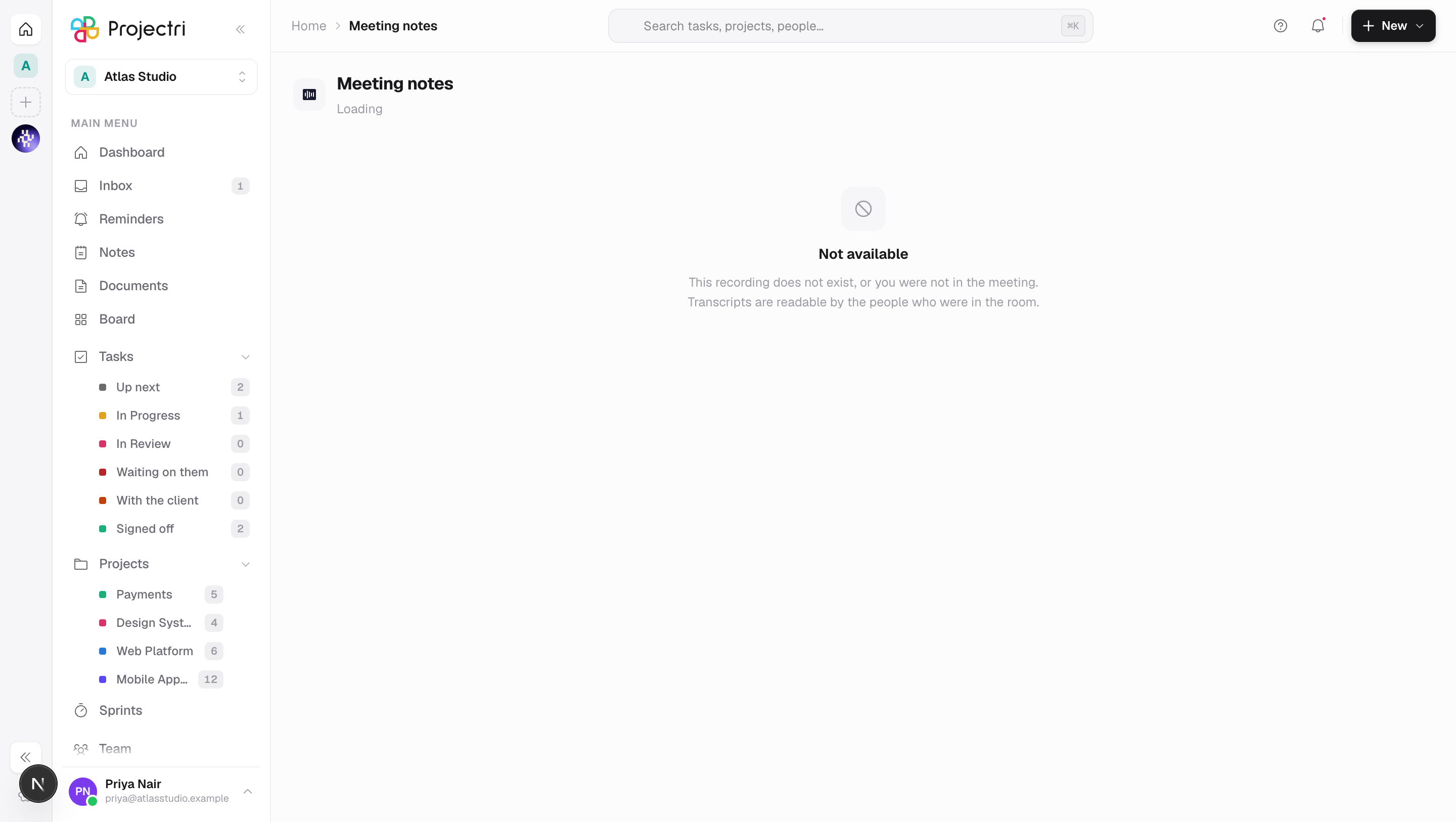
Reading a session needs meeting.notes.view. That permission alone is not enough: you may only read a meeting you were in — the check looks for your consent row on the session, or for you being the person who started it. Anyone with meeting.notes.manage reads everything. A session you may not read answers "Not available", the same as one that does not exist, because saying otherwise would leak who is meeting whom.
Recording is a separate permission, meeting.notes.record, and it lives on the calendar rather than here. The whole feature is gated by the **ai.notetaker** entitlement and by a workspace switch an admin controls.
How to use it
Record a meeting
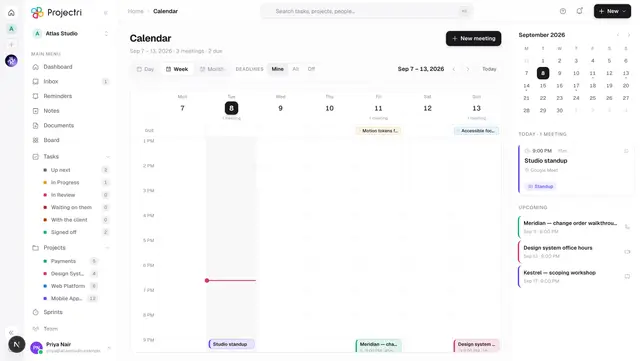
- Open the meeting on the calendar and find the Meeting notes panel.
- Press Record this meeting. What the room is told depends on the workspace's consent policy — either everyone is told and it starts, or nothing is captured until every attendee agrees.
- While it runs, the panel shows Recording on the capturing device and Being recorded on everyone else's, with the elapsed time.
- Press End & take notes to stop and draft the notes, or Stop, no notes to stop without drafting.
Only one device transcribes at a time. Everyone else sees whose device it is. If that device stops — the tab closed, the laptop slept — the others are told that nothing is being written down, and any of them can press Transcribe on this device to take over.
Refuse to be recorded
Don't record me is always available to an attendee. It ends the recording for everyone and deletes what was captured. Under the stricter consent policy the recording never starts until everybody has pressed I agree.
Review the proposals
- Open the session. The card at the top says how many are waiting for you.
- Each row names its kind and where it goes: a Decision files into the decision log, an Action files into a task, a Risk files into the risk register.
- Read the quote underneath. It is a verbatim span from the transcript — anything the model paraphrased was thrown away before you saw it.
- Press File it to create the row, or Not said to reject it. Rejecting asks why, and the reason is kept so the next person can see what the model got wrong.
- Reviewed items move to Already reviewed, which records what each one was filed as, or why it was discarded.
There is no "accept all", on purpose.
Read the transcript and the consent record
Below the proposals, Who was told, and who agreed shows the notice the room was given and each attendee's decision, including those who were told and did not object. Transcript shows the captured text.
What it affects
- Accepting a proposal creates a real row. A decision becomes a decision-log entry marked as decided; an action becomes a task with status To do and medium priority; a risk becomes a risk register entry with a neutral score. Each carries the quote into its description — "Agreed in a meeting: …" — so the row can be traced back.
- An accepted action arrives unassigned. The model may suggest an owner and the row says so, but a name in a transcript is not an account.
- Filing needs the target register's own permission. Accepting a decision needs
decision.manage, an action needstask.create, a risk needsrisk.manage. Rejecting needs none of these. The control says so before you press it rather than after. - A meeting with no project has nowhere to file. Accepting is refused with *"This meeting is not attached to a project, so there is no register to file into. Choose a project."*
- Recording consumes the notetaker allowance. The first person to press record on a meeting spends one against the workspace's plan; a second person joining the same session does not.
- Transcripts expire. Each session carries the retention period that was in force when it started, and is swept on that schedule.
On mobile
The phone app has a Meeting notes screen that is the review queue: the proposals waiting on you, the quote, and file it or clear it. Each row carries the deadline band showing when its transcript will be deleted, computed by the server rather than the handset. The notetaker panel is on the phone too, opened from a meeting on the mobile calendar, so a meeting can be recorded from a phone in the room.
Limits and gotchas
- Speakers are not labelled. Every line reads as Unknown. Attaching the name of whoever pressed record to an hour of speech would put words in several people's mouths.
- Transcription is on-device and browser-dependent. Audio is never recorded or uploaded — only the words your device transcribes. A browser that cannot do speech recognition says so and cannot capture; Chrome, Edge and Safari can, or record from the phone app.
- The language is taken from your browser's own language setting. There is no per-meeting language choice.
- Nothing is captured until a device is transcribing. A meeting can be *being recorded* with no device listening, which the panel says plainly.
- A proposal already reviewed by somebody else is refused rather than double-filed.
- Extraction reads at most about 60,000 characters of transcript and returns at most 40 proposals.
- If drafting fails, the page says "The notes did not come back" and the transcript is intact and can be tried again — but it is still deleted on schedule either way.
- Meeting notes must be switched on for the workspace, and are off by default. If they are off, the panel says so and points at the admin setting.
Related
- Calendar — where a recording is started and stopped.
- Meeting notes policy — consent, retention and the workspace switch.
- Nia — the assistant that drafts the proposals.
- Plans and entitlements — the
ai.notetakerallowance.