Levelling
Where an over-allocation becomes a decision — a run proposes moves that would clear it, and you accept the ones you agree with.
What it is
Levelling takes a person, a project or a team over a window, works out what could move so that nobody is booked past their capacity, and proposes it. Nothing is applied. Each proposed change carries a reason and a disruption score, and you tick the ones you accept.
How to get there
Levelling is the last link in the resourcing strip, from Resourcing. Reading the runs needs booking.manage.all — a run reasons across everybody in its scope, so somebody who can only see their own team would be shown moves involving people they cannot evaluate.
Accepting changes needs booking.confirm as well, because levelling moves confirmed commitments and that key exists to countersign exactly that act. Without it the panel says so rather than offering a button that refuses.
Raising a run and applying one need the **resourcing.bookings** entitlement.
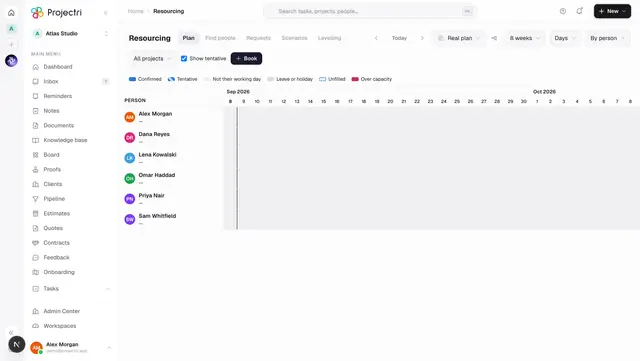
The usual way in is not this screen. On the timeline, where anybody is over capacity, the over-capacity figure in the header is a button — it opens a run dialog with the window, and the project filter if one is on, already filled in.
How to use it
Raise a run
- Press Level a window, or arrive from the timeline's over-capacity figure.
- Pick a scope — a person, a project or a team — and then the specific one. There is deliberately no whole-company run: a plan nobody can review is a plan nobody accepts, and the scope cannot be left empty.
- Set the window.
- Choose which strategies the run may use. A manager who will not move people onto other work can say so, and a run that reassigned anyway is one they stop trusting.
- A run over a window where nothing is over-allocated writes nothing and says so. That is the best possible outcome, not a failure.
Read a proposal
- The list on the left is recent runs, named by what each was about — "Priya, next six weeks" — with the window and what it cleared, as *conflicts before → after*.
- The panel names how much was resolved, and then the unresolved conflicts above the changes rather than hidden behind a disclosure. "I could not fix these three, and here is what blocked each" is the half a resource manager can act on — it names the milestone to go and argue about.
- Each change says what it does in plain words. A booking starts later, runs longer, drops to fewer hours a day, or moves from one person to another.
- The reason beside it is the engine's own — it names a milestone, a dependency or a match score — and is printed verbatim rather than rephrased.
- The disruption chip is Quiet, Noticeable or Disruptive. It is the ranking that was recorded when the run happened, never recomputed against a world that has since moved.
Accept changes
- Nothing arrives ticked. A change nobody has ticked has not been refused — undecided and rejected are different states.
- Tick the changes you agree with. Select all exists, but the apply button counts what it is about to do rather than saying "Apply".
- Confirm. Only the ticked changes go into the real plan and the people booked are told; everything else is left exactly as it was.
- An applied run says which changes went in and that the rest were left alone.
Discard
Discard proposal throws the run away. Nothing in it was applied, and the screen records that.
Take it into a scenario
Where a run was raised against a scenario, Open as scenario takes you to the timeline in that scenario's mode.
What it affects
- The real plan. Accepted changes rewrite bookings — dates, hours a day, or who holds them — and notify the people affected.
- Audit. Raising a run and applying one are both recorded, with the scope, the window and what was accepted.
- Everything downstream. Because levelling moves bookings, Bench, Demand and the availability lane all move with it.
- Nothing until you accept. A proposal on screen has changed nothing. The run is the only thing that exists.
On mobile
The Expo app lists proposals and lets you read and decide one. Raising a run is web work — it needs the timeline the conflict was spotted on, and a scope, a window and a strategy mix chosen together. Reading a proposal, and accepting it, is not; a proposal sitting unread because the person who must accept it is not at a desk is exactly what holds levelling up.
Limits and gotchas
- The run has a step limit. Where it stops because of that rather than because it finished, the panel says so — what is on screen is a good plan, not a complete one.
- A run is a snapshot. A booking that has since been deleted is shown as *a booking that no longer exists*.
- Levelling always reads and moves the real plan. It is not offered from the timeline while you are inside a scenario, because an action that silently ignored the scenario would be exactly the confusion scenario mode spends three signals avoiding.
- There is no accept-all on the write path. The screen can send every id if you really did tick every box, but the API takes an explicit list.
Related
- Resourcing — where an over-allocation is noticed and a run is raised.
- Scenarios — trying a change without touching the real plan.
- Capacity — the other reading of an overloaded week.